
Build a full offline-first POS with Grit: products, stock, clients, purchases & a real checkout
One command scaffolds a Wails desktop app that works online AND offline. grit generate resource fans out to the desktop too now: full CRUD screens backed by a local SQLite mirror that syncs to your server when you're connected. We build a real Point of Sale: categories, products, stock, clients, suppliers, purchases, and a custom checkout screen that completes sales and decrements stock even with no internet.
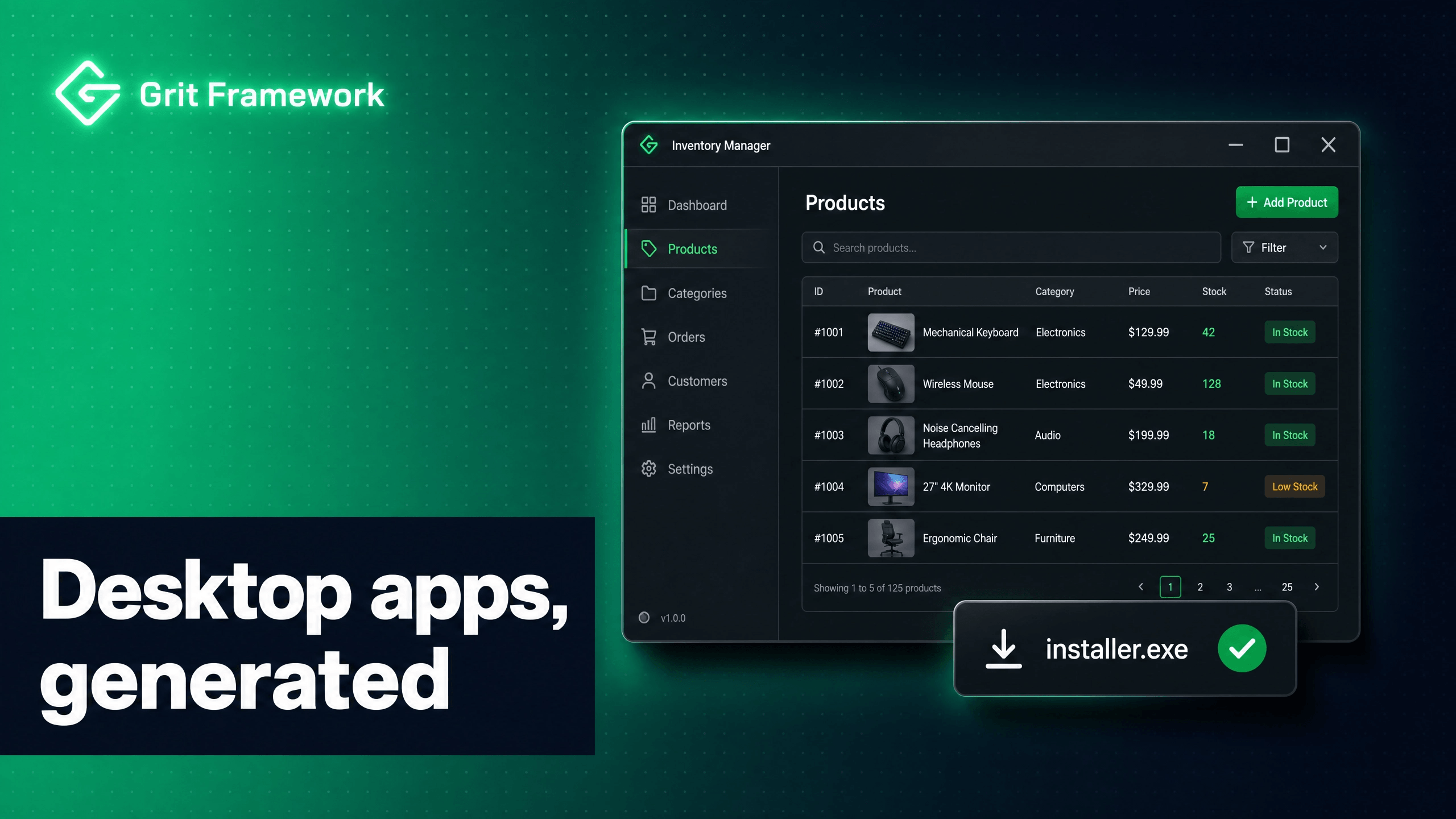
Most "build a POS" tutorials stop at a pretty product grid. Real shops need more: a product catalogue with stock, clients, suppliers, purchases that restock you, and a checkout that keeps working when the internet doesn't, then quietly syncs everything up when it comes back.
That last part is the hard part, and it's exactly what Grit's desktop stack does
for you now. In v3.33.0, grit generate resource fans out to the desktop
app too: every resource gets full CRUD screens wired to an offline-first sync
engine: a local SQLite mirror plus an outbox that pushes to your server the
moment you're back online. So the plumbing that usually eats a week (two
databases, a sync protocol, conflict handling, an offline toggle) is already in
the box.
We'll build a genuinely useful Point of Sale:
- Categories & Products with prices and stock counts
- Clients (customers) and Suppliers
- Purchases that restock your inventory
- Sales with a real checkout screen: product grid, cart, discount, payment method, change due
- Stock that goes down on a sale and up on a purchase
- All of it online by default, offline when you flip a switch, syncing both ways
Let's build it.
What you'll need
- Grit v3.54.0+:
grit update, thengrit versionto confirm - The Wails toolchain (
wails doctorgreen), Go 1.21+, Node 18+, pnpm - Docker (for Postgres: the "online" database the desktop app syncs to)
- For the installer at the end: NSIS on Windows (
winget install NSIS.NSIS)
# Install (macOS / Linux)curl -fsSL https://gritframework.dev/install.sh | sh# Install (Windows PowerShell)iwr -useb https://gritframework.dev/install.ps1 | iex# Already have it?grit update && grit version # want v3.54.0 or newer
1. Scaffold the mega project
We want everything: the Go API, the admin panel, and the desktop client with
the offline-first sync engine. That's --full.
grit new gritpos --fullcd gritpos
--full gives you a Turborepo with:
gritpos/├── apps/│ ├── api/ # Go + Gin + GORM, Postgres. The shared server (source of truth)│ ├── web/ # Next.js storefront (not used here, but there if you want it)│ ├── admin/ # Filament-like admin panel│ ├── expo/ # React Native app (same resources, for free)│ └── desktop/ # ← the Wails POS we're building. Ships the sync engine.├── packages/shared/└── docker-compose.yml
The idea: two databases, one command
The desktop app (apps/desktop) is a native Wails window with a local SQLite
database baked in. Your server (apps/api) owns a Postgres database:
the shared source of truth. The desktop app:
- Online by default: it continuously mirrors server data into its local SQLite copy in the background (every ~30s).
- A dashboard toggle flips it to offline, now every read comes from the local copy and every write queues locally. The cashier keeps selling.
- Back online, it auto-reconciles: pushes the queued changes up and pulls anything new down, with optimistic-locking conflict handling.
You don't wire any of that. It's what --full scaffolds.
2. Bring up the infrastructure & install
Start the local Postgres the desktop app will sync against, and install the workspace (one install now covers the desktop frontend too):
docker compose up -d # Postgres (+ Redis, MinIO) on localhostpnpm i # install all deps: web, admin, desktop, expo
No .env juggling: grit new already wrote a populated .env at the project
root with a per-scaffold Postgres password, and both docker compose and the
Go API read it. So grit migrate and grit start server work out of the box.
The desktop app authenticates against this API and stores its token in the OS keychain. When it's online it syncs against Postgres; when it's offline it serves the local mirror.
3. Model the shop: one generate per resource
Here's the money moment. Each grit generate resource now creates, in one shot:
- the Go model + service + handler (API, with the sync
Versioncolumn baked in), - shared Zod types, web hooks, admin resource + page,
- Expo mobile screens,
- and the desktop screens: list, create/edit forms, a hook, a sidebar entry: all reading/writing through the offline sync engine,
- plus it registers the resource for offline sync automatically.
Order matters for relationships: create parents first.
Categories (products belong to one), with a cover image:
grit generate resource Category --fields "name:string,slug:slug,image:file:image"
Products: price, stock, a category link, a thumbnail and a gallery:
grit generate resource Product --fields "name:string,sku:string,price:float,stock:int,category:belongs_to:Category,thumbnail:file:image,images:files:image"
Those file:image / files:image fields are the reason we're here. On the
desktop they generate a dropzone that works offline: more on that in a
second. In the table they render as thumbnails; in the form they're a
drag-and-drop upload.
Clients (your customers):
grit generate resource Client --fields "name:string,phone:string,email:string"
Suppliers (who you buy from):
grit generate resource Supplier --fields "name:string,phone:string"
Purchases: a restock event. We store the line items as JSON in a text
field so a whole purchase is one record (simple and offline-friendly):
grit generate resource Purchase --fields "supplier:belongs_to:Supplier,reference:string,total:float,status:string,items:text"
Sales: the checkout record. Same idea: line items as JSON, plus the money fields the POS captures:
grit generate resource Sale --fields "client:belongs_to:Client,total:float,discount:float,payment_method:string,amount_received:float,items:text"
Watch the output on the Product one, notice the desktop lines:
✓ apps/api/internal/models/product.go✓ apps/web/hooks/use-products.ts✓ apps/admin/... (resource + page)✓ apps/expo/app/products/...✓ apps/desktop/frontend/src/routes/app/products.index.tsx✓ apps/desktop/frontend/src/routes/app/products.new.tsx✓ apps/desktop/frontend/src/routes/app/products.$id.edit.tsx✓ apps/desktop/frontend/src/hooks/use-products.ts✓ apps/desktop: registered "products" for offline sync
That last line is the important one: products is now in the desktop app's
syncTables, so the background mirror and the offline toggle cover it.
What the desktop screens actually look like
Every generated desktop screen is local-first. Here's the generated hook
(apps/desktop/frontend/src/hooks/use-products.ts), it reads and writes the
local mirror via the sync engine's Local* bindings, never the network
directly:
import { useQuery, useMutation, useQueryClient } from "@tanstack/react-query";import { localList, localGet, localCreate, localUpdate, localDelete } from "@/lib/sync-client";export function useProducts() {return useQuery({queryKey: ["products"],queryFn: async () => (await localList("products")),refetchInterval: 3000, // background sync refreshes the mirror; re-read it});}export function useCreateProduct() {const qc = useQueryClient();return useMutation({mutationFn: (data) => localCreate("products", "", data), // queues + mirrorsonSuccess: () => qc.invalidateQueries({ queryKey: ["products"] }),});}// useUpdateProduct / useDeleteProduct / useProduct(id) too
localCreate writes the row into the local SQLite mirror and drops an entry
in the outbox. Reads see it instantly; the background loop pushes it up later.
That's why the generated CRUD works with the network unplugged.
Images, offline
A binary can't ride the JSON sync outbox, so images get special handling: and you don't have to write any of it. The generated dropzone does the right thing:
- Online, dropping a file uploads it to the API's
/uploadsendpoint and stores the returned file reference on the record. - Offline, the file is kept inline as a
data:URL, so the product saves and its thumbnail shows immediately, tagged Pending. - On reconnect, a background reconciler (
usePendingUploads) walks the local mirror, finds those pending images, uploads each, swaps in the real file URL, and the normal sync pushes the corrected record up.
So a clerk can photograph a new product with the shop's Wi-Fi down, keep
selling, and the picture quietly lands in object storage the moment the
connection returns. No lost uploads, no blocked workflow. In the table, the
thumbnail column renders the image (with a +N badge for the gallery); an
empty image is just a dash.
4. Migrate, seed & run: all Grit commands
Now that the models exist, create their tables and seed a login. Run these from
anywhere inside the project, grit finds apps/api for you:
grit migrate # AutoMigrate every model into Postgresgrit seed # admin@example.com / admin123 (dev only)
Want a shop full of stock to play with? Give any resource a seeder. Each
resource seeder lives in its own internal/database/<name>_seeder.go file, and
--faker fills it with realistic rows, including sample images for
file:image fields:
grit generate seeder Category --faker --count 8grit generate seeder Product --faker --count 60grit seed # now runs every seeder, catalogue included
--faker picks values from each field's name and type (names, prices, a real
sample image URL per product), so you get a believable catalogue in seconds. The
default (no --faker) drops one editable example record you can fill in by
hand. You can also emit a seeder right when you scaffold a resource with
grit generate resource Product --fields "..." --seed.
Then start everything with one command from the project root:
grit start # API + web + admin + the desktop app, in parallel
grit start boots the Go API (hot-reloading with air if it's installed), the
Next.js apps, and, because this project has apps/desktop, the Wails
desktop window too. Ctrl+C stops them all.
Want just one app? Every app has its own starter you can run from the
project root, exactly like grit start server:
| Command | Starts |
|---|---|
grit start | everything in parallel (API + web + admin + desktop) |
grit start server | Go API only |
grit start web | web app (Next.js, port 3000) |
grit start admin | admin panel (Next.js, port 3001) |
grit start expo | Expo mobile app |
grit start desktop | Wails desktop app |
grit start client | all frontends via Turborepo |
Wails compiles the desktop binary, generates its TypeScript bindings and route tree, and opens the window. Log in with admin@example.com / admin123. In the sidebar under Manage you'll see Categories, Products, Clients, Suppliers, Purchases, Sales: all generated, all working.
Add a category ("Electronics"), then a couple of products with stock. Notice there's no spinner waiting on the server: reads and writes hit the local mirror instantly. In the background, the engine is pushing them to Postgres.
5. Offline / online: the switch
Open Settings in the sidebar. There's a Sync & Offline card with a Work offline toggle and a live status pill (online / pending changes / last synced).
- Online (default): every ~30s the app pulls fresh server data into the mirror and pushes anything you've queued. Server-side deletes reach you as tombstones. The status pill shows "Online: all changes synced."
- Flip to Work offline: pull the ethernet, close the laptop, walk to a market stall. Keep adding products and making sales. The pill shows "Working offline: N changes waiting."
- Flip back / reconnect: the app immediately reconciles, pushes your queued sales and product edits, pulls anything new. Conflicts (the same row edited in two places) surface a per-field merge dialog; everything else just flows.
You can prove it right now: toggle Work offline, create a product, quit the app, reopen it: the product is still there (persisted locally), and the toggle is still on (it survives restarts). Toggle back online and watch the pending count drop to zero as it pushes.
Why this matters for a POS: a checkout that freezes when the wifi hiccups loses you sales. This one doesn't. The cashier never sees the network.
6. Two ways to sell: New Sale + a POS lane
Real shops sell in two modes, and a good POS gives you both:
- New Sale: for a registered customer or a credit sale. You pick the
client, choose a payment method, and capture amounts (so a balance-due > 0
becomes a credit sale). This is exactly the generated Sales screen, the
client:belongs_to,payment_method,total,discountandamount_receivedfields we generated give you a create/edit drawer and a searchable client picker for free. Click New Sale, fill the form, save. No custom code. - POS lane: for fast, walk-in cash sales. No forms, no client required: a product grid + a cart where you tap items, adjust quantities, take payment and print. This is the one screen we hand-write, on top of the same generated hooks.
That split mirrors how a real counter works: the invoiced/credit path runs through the generated CRUD, the rapid cash path runs through the POS lane. Both write through the same offline sync engine, so both keep working with the network unplugged.
Let's build the POS lane. Create
apps/desktop/frontend/src/routes/app/pos.tsx:
import { createFileRoute } from "@tanstack/react-router";import { useMemo, useState } from "react";import { PageHeader } from "@/components/layout/page-header";import { useProducts, useUpdateProduct } from "@/hooks/use-products";import { useCreateSale } from "@/hooks/use-sales";export const Route = createFileRoute("/app/pos")({ component: POSPage });type CartLine = { id: string; name: string; price: number; qty: number; stock: number };function POSPage() {const { data: products = [] } = useProducts();const createSale = useCreateSale();const updateProduct = useUpdateProduct();const [cart, setCart] = useState<CartLine[]>([]);const [search, setSearch] = useState("");const [discount, setDiscount] = useState(0);const [payment, setPayment] = useState<"cash" | "mobile_money">("cash");const [received, setReceived] = useState(0);const filtered = products.filter((p: any) =>!search || String(p.name).toLowerCase().includes(search.toLowerCase()),);const subtotal = useMemo(() => cart.reduce((s, l) => s + l.price * l.qty, 0),[cart],);const total = Math.max(0, subtotal - discount);const change = Math.max(0, received - total);function addToCart(p: any) {setCart((c) => {const found = c.find((l) => l.id === p.id);if (found) {if (found.qty >= p.stock) return c; // don't oversellreturn c.map((l) => (l.id === p.id ? { ...l, qty: l.qty + 1 } : l));}if (Number(p.stock) <= 0) return c;return [...c, { id: p.id, name: p.name, price: Number(p.price), qty: 1, stock: Number(p.stock) }];});}function setQty(id: string, qty: number) {setCart((c) =>c.map((l) => (l.id === id ? { ...l, qty: Math.max(0, Math.min(qty, l.stock)) } : l)).filter((l) => l.qty > 0),);}async function completeSale() {if (cart.length === 0) return;// 1) Record the sale: one local write, works offline.await createSale.mutateAsync({total,discount,payment_method: payment,amount_received: received,items: JSON.stringify(cart.map((l) => ({ product_id: l.id, name: l.name, price: l.price, qty: l.qty })),),});// 2) Decrement stock for each line, also local-first.await Promise.all(cart.map((l) =>updateProduct.mutateAsync({ id: l.id, data: { stock: l.stock - l.qty } }),),);// 3) Reset for the next customer.setCart([]);setDiscount(0);setReceived(0);}return (<div><PageHeader title="Point of Sale" description="Ring up a customer" /><div className="mt-6 grid grid-cols-[1fr_380px] gap-6">{/* Left: product grid */}<div><inputvalue={search}onChange={(e) => setSearch(e.target.value)}placeholder="Search products or scan barcode…"className="w-full mb-4 bg-background border border-border rounded-lg px-3 py-2 text-[13px]"/><div className="grid grid-cols-2 md:grid-cols-3 gap-3">{filtered.map((p: any) => (<buttonkey={p.id}onClick={() => addToCart(p)}disabled={Number(p.stock) <= 0}className="text-left rounded-lg border border-border bg-surface p-4 hover:border-accent disabled:opacity-40"><div className="text-[14px] font-semibold text-foreground">{p.name}</div><div className="text-[13px] text-foreground-secondary">UGX {Number(p.price).toLocaleString()}</div><div className="mt-1 text-[11px] text-foreground-muted">{p.stock} in stock</div></button>))}</div></div>{/* Right: cart + checkout */}<div className="rounded-lg border border-border bg-surface p-4 flex flex-col"><h3 className="text-[15px] font-semibold text-foreground mb-3">Current Sale</h3><div className="flex-1 space-y-2 overflow-y-auto">{cart.length === 0 && (<p className="text-[13px] text-foreground-muted">Tap a product to add it.</p>)}{cart.map((l) => (<div key={l.id} className="flex items-center justify-between gap-2"><div className="min-w-0"><div className="text-[13px] font-medium text-foreground truncate">{l.name}</div><div className="text-[11px] text-foreground-muted">UGX {l.price.toLocaleString()} each</div></div><div className="flex items-center gap-1"><button onClick={() => setQty(l.id, l.qty - 1)} className="h-7 w-7 rounded border border-border">−</button><span className="w-6 text-center text-[13px]">{l.qty}</span><button onClick={() => setQty(l.id, l.qty + 1)} className="h-7 w-7 rounded border border-border">+</button></div><div className="w-24 text-right text-[13px] font-semibold">UGX {(l.price * l.qty).toLocaleString()}</div></div>))}</div><div className="mt-4 space-y-2 border-t border-border-subtle pt-4 text-[13px]"><label className="flex items-center justify-between"><span>Discount (UGX)</span><inputtype="number"value={discount}onChange={(e) => setDiscount(Number(e.target.value))}className="w-28 text-right bg-background border border-border rounded px-2 py-1"/></label><div className="flex gap-2">{(["cash", "mobile_money"] as const).map((m) => (<buttonkey={m}onClick={() => setPayment(m)}className={"flex-1 rounded-lg py-2 text-[13px] font-medium " +(payment === m ? "bg-accent text-white" : "border border-border text-foreground-secondary")}>{m === "cash" ? "Cash" : "Mobile Money"}</button>))}</div><div className="flex justify-between"><span>Subtotal</span><span>UGX {subtotal.toLocaleString()}</span></div><div className="flex justify-between text-[15px] font-bold"><span>Total</span><span>UGX {total.toLocaleString()}</span></div><label className="block"><span className="text-foreground-secondary">Amount Received</span><inputtype="number"value={received}onChange={(e) => setReceived(Number(e.target.value))}className="mt-1 w-full text-right text-[18px] font-bold bg-background border border-border rounded px-3 py-2"/></label>{received > 0 && (<div className="flex justify-between text-success"><span>Change</span><span>UGX {change.toLocaleString()}</span></div>)}</div><buttononClick={completeSale}disabled={cart.length === 0 || createSale.isPending}className="mt-4 rounded-lg bg-accent py-3 text-[15px] font-bold text-white hover:bg-accent-hover disabled:opacity-50">Complete Sale · UGX {total.toLocaleString()}</button></div></div></div>);}
Add it to the sidebar so cashiers can reach it. Open
apps/desktop/frontend/src/lib/nav-config.ts and drop a POS item into the first
(unbranded) section:
import { Home, ShoppingCart /* … */ } from "lucide-react";export const NAV_SECTIONS: NavSection[] = [{items: [{ to: "/app", label: "Dashboard", icon: Home },{ to: "/app/pos", label: "Point of Sale", icon: ShoppingCart },],},// "Manage" section (generated resources) …];
The still-running grit start hot-reloads it. You now have a real checkout: tap
products, adjust quantities, take a discount, pick cash or mobile money, enter
the amount received, see the change, hit Complete Sale. Every part of that (createSale, the stock decrements) goes through the local-first engine, so it
works with no connection and syncs the sale (and the new stock levels) to
Postgres when you're back online.
Why the sale is offline-safe
Look at completeSale: it's createSale.mutateAsync(...) (one local write) plus
a updateProduct.mutateAsync(...) per line. All of those are Local* calls:
they hit the SQLite mirror and the outbox, never the network. So a sale rung up
in a basement with zero bars is durable the instant you tap the button. When
connectivity returns, the background loop replays the outbox to the server in
order. The stock you decremented locally reconciles with the server's count via
the Version optimistic-lock check; if a second till sold the same item while
you were offline, you get a conflict prompt instead of a silent overwrite.
7. Purchases that restock
Purchases are the mirror image of sales: they increase stock. You already have a generated Purchases CRUD screen; to make one actually restock, add a tiny "receive" action. The pattern is identical to checkout, reversed:
// after creating/receiving a purchase with items [{ product_id, qty }]await Promise.all(lines.map((l) =>updateProduct.mutateAsync({ id: l.product_id, data: { stock: l.stock + l.qty } }),),);
Same offline guarantees: receive a delivery in a stockroom with no wifi, and the new stock levels sync up later. For a first version you can even skip a custom screen: use the generated Purchase form to record the purchase, and bump each product's stock from the generated Product edit screen. Everything's already there; the custom screen is just polish.
8. Ship it
One command turns the whole thing into an installer a shopkeeper double-clicks:
cd apps/desktopgrit package # NSIS installer on Windows; .app / binary elsewheregrit package --no-installer # just the raw binary
The result carries its own local SQLite database. Point it at your production API
(set VITE_API_URL) and it mirrors your real Postgres. Hand it to a cashier; it
works on the shop floor whether or not the wifi does.
The takeaway
A POS is the perfect stress test for a desktop framework: it needs real data modelling (categories, products, stock, clients, suppliers, purchases, sales), a custom high-interaction screen (checkout), and, non-negotiably, it has to work when the network doesn't. With Grit v3.33.0:
grit generate resourcegave us CRUD screens for six resources across web, admin, mobile, and desktop, and registered each for offline sync, from six one-line commands.- The offline-first engine (local SQLite mirror + outbox + background
reconcile + a Work-offline toggle) came for free with
--full. - The only hand-written screen was the checkout, and even that is ~150 lines because it stands on generated, offline-safe hooks.
That's a shippable, offline-capable Point of Sale that's mostly generated code, and the same recipe builds an inventory manager, a field-service app, or a clinic front desk. Describe your models, write the one screen that's genuinely yours, and let the framework carry the rest.
Describe your data. Get the whole app.
Founder of Grit and author of The Daily Grit. A 5-minute morning read on building full-stack apps with Go + React.
Build it with Grit
Go + React, batteries included. Scaffold a production-ready app in one command.
Get started