
Build your first full-stack app with Go and React
A full-stack app is two programs and one agreement between them. The Go program owns the data and answers questions over HTTP. The React program asks the questions and draws the answers. Everything else, the database driver, the router, the build tool, exists to serve that one sentence.
We will build both by hand first, because the pieces are small enough to hold in your head and you will spend the rest of your career debugging them. Then, at the end, the same shape with authentication, an admin panel, migrations and shared types, from one command.
25 min read. Commands and output last run against Grit v3.560.0.
What you will have at the end
A Go API on port 8080 that stores tasks in SQLite and answers GET /tasks, POST /tasks and PATCH /tasks/:id.
A React page on port 3000 that lists those tasks, adds one, and ticks one off, with the loading and error states actually handled.
An understanding of why the browser refuses the request the first time you try it, which is the thing that stops most people on day one.
Prerequisites
Three things, and the exact versions matter more than people tell beginners.
- Go 1.26.11 or newer. Check with
go version. If that saysgo: command not found, Go is not installed or not on your PATH, and there is a section on exactly that below. - Node 20.9 or newer, because that is the floor the React tooling declares. Check with
node --version. - A terminal you are willing to read. On Windows, use PowerShell or Git Bash, not the old
cmd.exe.
No database to install. We use SQLite, which is a file, which is the correct choice for learning and the wrong choice for production. We will come back to that.
The shape of it, in plain English
Picture a restaurant. The kitchen has the ingredients and the rules about what can be cooked: that is your Go API and its database. The waiter takes an order, brings back a plate, and knows nothing about how the dish was made: that is HTTP. The dining room is what the customer sees and touches: that is React.
The useful part of the analogy is what it rules out. The dining room cannot reach into the fridge. If the customer must not see other people's orders, that rule lives in the kitchen, not on the menu. Every security mistake beginners make in full-stack apps is a rule that was written in the dining room.
What travels between them
JSON, over HTTP, and nothing else. The frontend sends a request with a method (GET to read, POST to create, PATCH to change, DELETE to remove), a path, and sometimes a body. The backend answers with a status code and a body. That is the whole agreement, and it is why you can replace either side without touching the other.
01Make the backend
Create a folder, initialise a Go module, and install the two libraries we need. Gin is the HTTP router. GORM talks to the database.
$mkdir -p tasks/api && cd tasks/api$go mod init tasks/api$go get github.com/gin-gonic/gin$go get gorm.io/gorm gorm.io/driver/sqlite
Checkpoint. You now have a go.mod and a go.sum. cat go.mod should show your module name and the three requirements. If go get printed a proxy error, you are offline or behind a corporate proxy; there is a fix below.
02Define what a task is
One struct, three jobs. The field names and types are the Go shape. The json tags are the names the frontend will see. The gorm tags are the column rules.
package maintype Task struct {ID uint `json:"id" gorm:"primaryKey"`Title string `json:"title" gorm:"not null" binding:"required,min=1,max=200"`Done bool `json:"done" gorm:"default:false"`CreatedAt time.Time `json:"created_at"`}
Three tags on one field looks like a lot. It is three different audiences: Go, the database, and the browser. Keeping them on one line is what stops them drifting apart, which is the most common cause of a field that saves but never appears.
binding is not decoration
binding:"required,min=1,max=200" is what makes Gin reject an empty title with a 400 before your code runs. Without it, your database fills with blank rows and you find out in a week. Validation belongs on the struct, next to the field it describes.
03Open the database and mount the routes
Here is the whole server. It is forty lines, and every one of them earns its place.
package mainimport ("net/http""time""github.com/gin-gonic/gin""gorm.io/driver/sqlite""gorm.io/gorm")type Task struct {ID uint `json:"id" gorm:"primaryKey"`Title string `json:"title" gorm:"not null" binding:"required,min=1,max=200"`Done bool `json:"done" gorm:"default:false"`CreatedAt time.Time `json:"created_at"`}func main() {db, err := gorm.Open(sqlite.Open("tasks.db"), &gorm.Config{})if err != nil {panic("cannot open database: " + err.Error())}if err := db.AutoMigrate(&Task{}); err != nil {panic("cannot migrate: " + err.Error())}r := gin.Default()r.GET("/tasks", func(c *gin.Context) {var tasks []Taskif err := db.Order("created_at desc").Find(&tasks).Error; err != nil {c.JSON(http.StatusInternalServerError, gin.H{"error": "could not list tasks"})return}c.JSON(http.StatusOK, gin.H{"data": tasks})})r.POST("/tasks", func(c *gin.Context) {var body struct {Title string `json:"title" binding:"required,min=1,max=200"`}if err := c.ShouldBindJSON(&body); err != nil {c.JSON(http.StatusBadRequest, gin.H{"error": err.Error()})return}task := Task{Title: body.Title}if err := db.Create(&task).Error; err != nil {c.JSON(http.StatusInternalServerError, gin.H{"error": "could not create task"})return}c.JSON(http.StatusCreated, gin.H{"data": task})})r.PATCH("/tasks/:id", func(c *gin.Context) {var task Taskif err := db.First(&task, c.Param("id")).Error; err != nil {c.JSON(http.StatusNotFound, gin.H{"error": "no such task"})return}if err := db.Model(&task).Update("done", !task.Done).Error; err != nil {c.JSON(http.StatusInternalServerError, gin.H{"error": "could not update task"})return}c.JSON(http.StatusOK, gin.H{"data": task})})if err := r.Run(":8080"); err != nil {panic(err)}}
Four things in there are worth saying out loud, because they are habits rather than syntax.
Every error is handled, and handled differently
A missing row is a 404. Bad input is a 400. A database that fell over is a 500. Collapsing those into one response is how an API becomes impossible to debug from the outside. Go makes you write if err != nil constantly, and this is the payoff: you are forced to decide what each failure means.
The error message the client sees is not the error Go produced
"could not list tasks" goes out; the database's own complaint stays in. That is deliberate. A raw driver error can name your tables, your columns and sometimes your file paths, and there is no reason a browser should learn them.
The response is wrapped in an object
{ "data": [...] } rather than a bare array. It costs five characters now and saves a breaking change later, when you need to add pagination and discover there is nowhere to put it.
AutoMigrate is a development convenience
It compares your structs to the database and adds what is missing. Wonderful on day one. It will not rename a column, will not narrow a type, and cannot be reviewed before it runs, so production needs real migration files. The migrations reference covers what replaces it.
Checkpoint. Run it:
$go run main.go
You should see Gin list your three routes and Listening and serving HTTP on :8080. In a second terminal:
$curl -s localhost:8080/tasks# {"data":[]}$curl -s -X POST localhost:8080/tasks \-H 'Content-Type: application/json' \-d '{"title":"Read the rest of this guide"}'# {"data":{"id":1,"title":"Read the rest of this guide","done":false,...}}
An empty data array on the first call is the correct answer, not a failure. A file called tasks.db has appeared next to your code: that is your whole database.
04Make the frontend
Leave the server running. In a new terminal, from the tasks folder, not tasks/api:
$cd ..$npx create-next-app@latest web --ts --app --tailwind --eslint --no-src-dir --use-npm$cd web$npm run dev
Checkpoint. http://localhost:3000 shows the starter page. Two servers are now running: Go on 8080, Node on 3000. Two terminals, two ports, and that is normal. The thing people expect, one command that starts both, is what a monorepo gives you, and we get there at the end.
05Call the API from React
Replace web/app/page.tsx entirely. This is a client component because it has state and event handlers.
'use client'import { useEffect, useState } from 'react'const API = 'http://localhost:8080'type Task = {id: numbertitle: stringdone: booleancreated_at: string}export default function Home() {const [tasks, setTasks] = useState<Task[]>([])const [title, setTitle] = useState('')const [error, setError] = useState<string | null>(null)const [loading, setLoading] = useState(true)async function load() {try {const res = await fetch(`${API}/tasks`)if (!res.ok) throw new Error(`the API answered ${res.status}`)const body = await res.json()setTasks(body.data)setError(null)} catch (err) {setError(err instanceof Error ? err.message : 'could not reach the API')} finally {setLoading(false)}}useEffect(() => {load()}, [])async function add(event: React.FormEvent) {event.preventDefault()if (!title.trim()) returnconst res = await fetch(`${API}/tasks`, {method: 'POST',headers: { 'Content-Type': 'application/json' },body: JSON.stringify({ title }),})if (!res.ok) {setError('the API refused that title')return}setTitle('')load()}async function toggle(id: number) {await fetch(`${API}/tasks/${id}`, { method: 'PATCH' })load()}return (<main className="mx-auto max-w-lg p-8"><h1 className="mb-6 text-2xl font-bold">Tasks</h1><form onSubmit={add} className="mb-6 flex gap-2"><label htmlFor="title" className="sr-only">What needs doing</label><inputid="title"value={title}onChange={(e) => setTitle(e.target.value)}placeholder="What needs doing?"className="flex-1 rounded border px-3 py-2"/><button type="submit" className="rounded bg-black px-4 py-2 text-white">Add</button></form>{error && <p className="mb-4 rounded bg-red-50 p-3 text-red-700">{error}</p>}{loading && <p className="text-gray-500">Loading...</p>}{!loading && tasks.length === 0 && !error && (<p className="text-gray-500">Nothing yet. Add the first one above.</p>)}<ul className="space-y-2">{tasks.map((task) => (<li key={task.id} className="flex items-center gap-3"><inputtype="checkbox"id={`task-${task.id}`}checked={task.done}onChange={() => toggle(task.id)}/><labelhtmlFor={`task-${task.id}`}className={task.done ? 'text-gray-400 line-through' : ''}>{task.title}</label></li>))}</ul></main>)}
Four states are handled there: loading, error, empty, and populated. Beginner tutorials ship the fourth and leave the other three, which is why a real app built from a tutorial shows a blank white rectangle the first time anything goes wrong. The empty state says what to do next, which is the whole job of an empty state.
Every checkbox also has a label attached to it by htmlFor. That takes seconds now and is nearly impossible to retrofit later, and without it the control is unusable with a screen reader.
Checkpoint. Reload localhost:3000. You will almost certainly see the error box, not your task. That is the next step, and it is the most valuable thing on this page.
06Fix the thing that stops everyone: CORS
Your API answered curl happily and refuses the browser. Open the browser console and you will find some version of this:
$Access to fetch at 'http://localhost:8080/tasks' from origin$'http://localhost:3000' has been blocked by CORS policy: No$'Access-Control-Allow-Origin' header is present on the requested resource.
Nothing is broken. A browser will not let a page from one origin read a response from a different origin unless that other origin says it may, and localhost:3000 and localhost:8080 are different origins because the port differs. Your API has never been asked this question before, because curl is not a browser and does not care.
The server has to opt in. Add the middleware:
r := gin.Default()// Let the frontend's origin read our responses. Name the origin: "*" is// the setting that works today and has to be undone the moment you need// cookies, because a browser refuses credentials against a wildcard.r.Use(func(c *gin.Context) {c.Header("Access-Control-Allow-Origin", "http://localhost:3000")c.Header("Access-Control-Allow-Methods", "GET, POST, PATCH, DELETE, OPTIONS")c.Header("Access-Control-Allow-Headers", "Content-Type, Authorization")// A preflight asks permission and expects no body.if c.Request.Method == http.MethodOptions {c.AbortWithStatus(http.StatusNoContent)return}c.Next()})
Restart Go, reload the page. Your task is there, the checkbox works, and you have a working full-stack application.
Do not ship that middleware
It hardcodes one origin, allows every header it was asked about, and has no opinion about credentials. It is right for this guide and wrong for a deployed app, where the allowed origin comes from configuration and cookies need Access-Control-Allow-Credentials plus a non-wildcard origin. The full version, including why your login cookie is silently dropped, is in connecting a Next.js frontend to a Go backend.
What you have, and what you do not
You have a real application: persistent storage, a validated write path, correct status codes, and a UI that handles its states. That is further than most tutorials get.
Here is what is missing before anybody else could use it, in rough order of urgency.
- Anybody can read and write everything. There is no sign-in, so there are no users, so there is no such thing as "my" tasks.
- No pagination.
Find(&tasks)returns every row. At ten thousand tasks the response is megabytes and the page freezes. - Nothing is typed across the boundary. The
Tasktype in React is hand-copied from the Go struct. Rename a field in Go and TypeScript still compiles, happily readingundefined. - SQLite is a file on one machine. Fine for one process. Not a database two servers can share.
- No way to look at the data except by writing more code or installing a SQLite browser.
- No tests, no migrations, no deploy.
Every one of those is solvable, and solving them is most of what backend work actually is. The question is whether you want to solve them now, on your first app, or later, on your own schedule.
The same shape, in one command
Grit generates the application you just wrote, with the missing list above already answered. It writes Go you can read, in the same Gin and GORM you have just used, and leaves it in your repository rather than hiding it behind a runtime.
# Install the CLI$curl -fsSL https://gritframework.dev/install.sh | sh# One project: Go API, Next.js web app, Next.js admin panel$grit new tasks$cd tasks$grit start
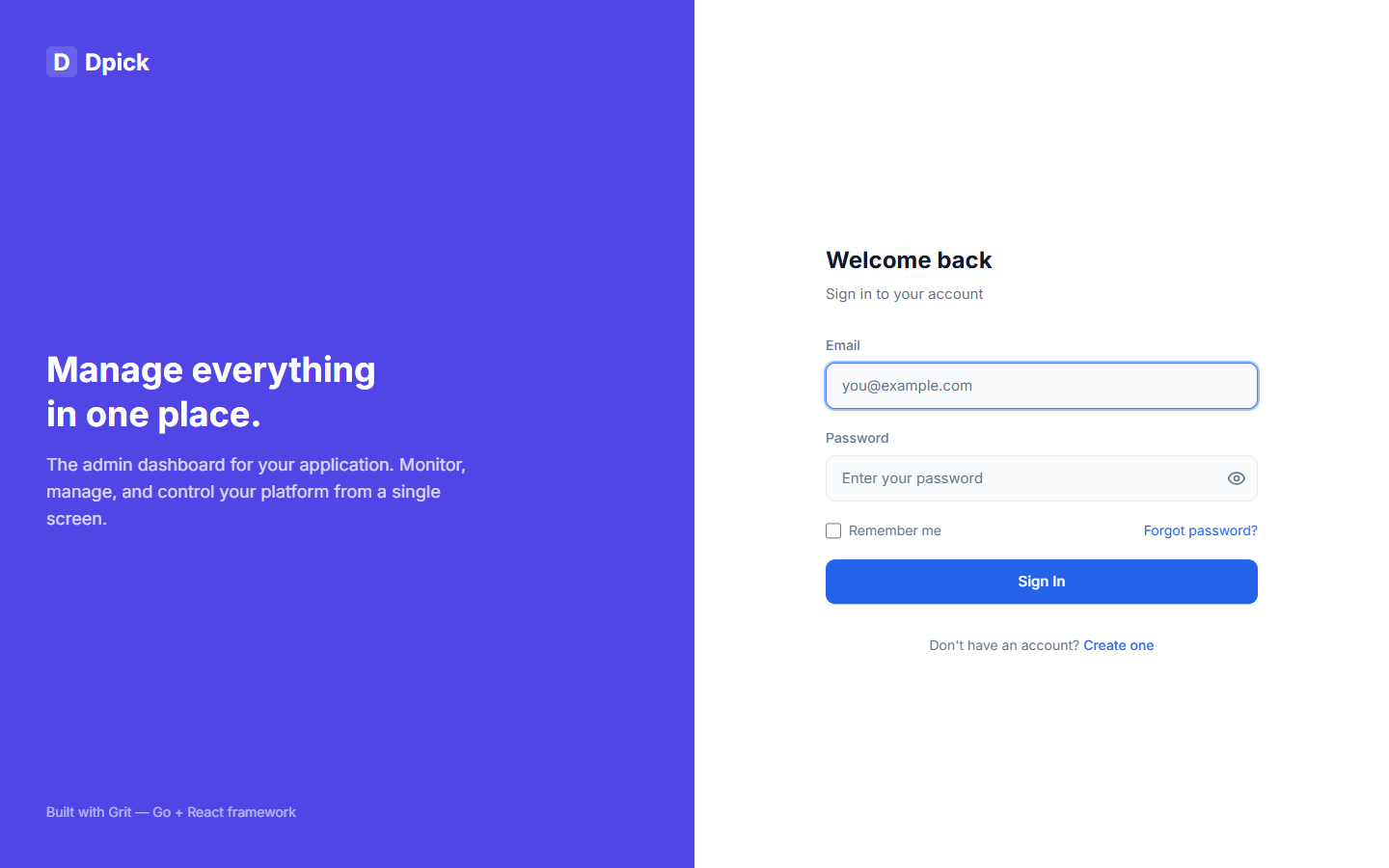
That is one command to start everything, not two terminals. What you get for it: JWT authentication with refresh tokens and server-side sessions, an admin panel over your data, Docker Compose for Postgres and Redis, generated TypeScript types and Zod schemas from your Go structs, and a test suite.
Then the resource you just built by hand:
$grit generate resource Task --fields "title:string:required,done:bool,due:date"
That writes the model, the service, the handler with pagination and filtering, the routes, the TypeScript type, the Zod schema, a React Query hook, and an admin screen. The admin screen is a declaration rather than a page:
export const taskResource = defineResource({name: 'task',label: 'Tasks',columns: [{ name: 'title', label: 'Title' },{ name: 'done', label: 'Done' },{ name: 'due', label: 'Due', filter: 'date-range' },],})
Add an entry to columns and the column appears in the table, the filter appears above it, and the form grows a field. That is the part that is hard to appreciate until you have hand-written the third table in a project.
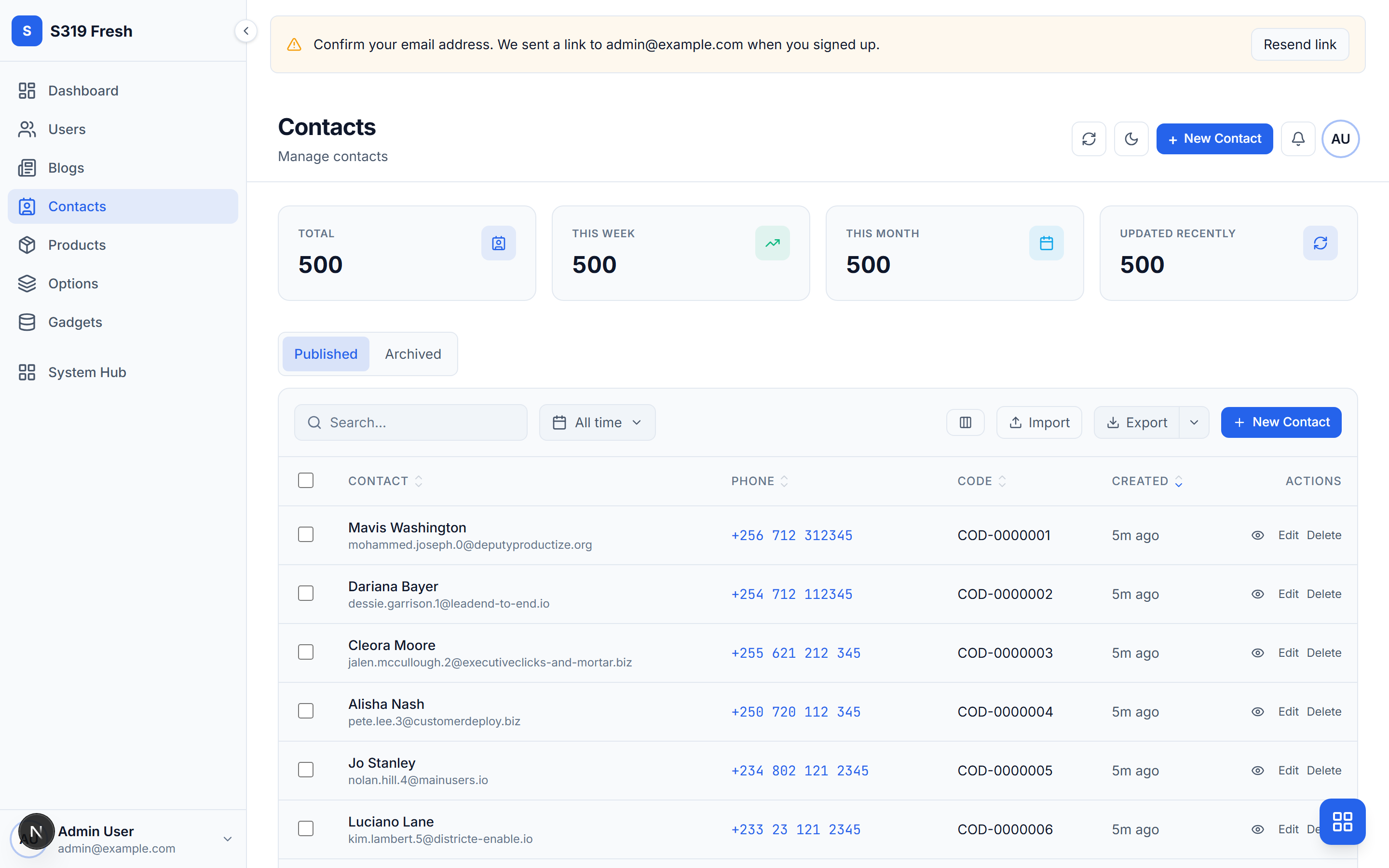
The honest trade-off: you are now reading code you did not write. That is the deal with every scaffolder, and the reason to do the hand-written version first is so the generated version is familiar rather than magic. You have already written the POST handler. The generated one is the same handler with the pagination, the ownership check and the error envelope filled in.
When it goes wrong
These are the exact messages, as they appear, because that is what you will paste into a search box.
go: command not found
Go is not installed, or it is installed and not on your PATH. Install it from go.dev/dl, then open a new terminal: a shell that was already running does not pick up a PATH change. On macOS with Homebrew, brew install go. On Windows, the MSI installer handles PATH for you, and the new-terminal rule still applies.
listen tcp :8080: bind: address already in use
Something is already on that port, usually a previous go run you forgot about. Find and stop it:
# macOS and Linux$lsof -ti:8080 | xargs kill# Windows PowerShell$Get-NetTCPConnection -LocalPort 8080 | Select-Object -Expand OwningProcess | ForEach-Object { Stop-Process -Id $_ }
Or move your server to another port. If you do, change API in page.tsx to match, because nothing will tell you that you forgot.
CGO_ENABLED=0 ... Binary was compiled with 'CGO_ENABLED=0', go-sqlite3 requires cgo to work
The mattn/go-sqlite3 driver needs a C compiler. The import in this guide, gorm.io/driver/sqlite, pulls that one in. Either install a compiler (build-essential on Debian, Xcode command line tools on macOS, TDM-GCC or MSYS2 on Windows), or switch to the pure-Go driver, which needs no compiler at all:
$go get github.com/glebarez/sqlite
Then change the import to github.com/glebarez/sqlite and leave the rest of the code alone; the API is the same. On Windows this is usually the quicker road.
Access to fetch at 'http://localhost:8080/...' has been blocked by CORS policy
Step 6 above. The server must send Access-Control-Allow-Origin. If you added the middleware and still see this, check two things: that you restarted the Go server (it does not reload itself), and that the middleware is registered before your routes. Middleware added after a route does not run for it.
Unexpected token '<', "<!DOCTYPE "... is not valid JSON
Your fetch reached something that answered with an HTML page instead of JSON, which almost always means it reached the wrong server. The usual cause is a relative URL: fetch('/tasks') asks Next.js on port 3000, which has no such route and returns its 404 page. Use the absolute URL, or set up a proxy.
Error 1062: Duplicate entry / UNIQUE constraint failed: tasks.id
You set ID yourself somewhere, or seeded rows with explicit ids and then let the database pick the next one. Let the database own the primary key: create with a zero ID and read it back from the struct afterwards, which is what db.Create(&task) already does.
dial tcp: lookup proxy.golang.org: no such host
go get cannot reach the module proxy: no network, or a corporate proxy in the way. Set GOPROXY to your internal mirror if you have one, or go env -w GOFLAGS=-mod=mod and work offline against an already populated module cache. On a VPN, try it off.
The task saves but the list does not change
Not an error message, but the most common silent failure. You created the row and never re-read the list, so React is still showing the array it fetched earlier. The load() call after a successful POST is what fixes it. In a real app you would use React Query and invalidate the query instead, which is the same idea with the bookkeeping done for you.
Before anybody else uses it
Nothing on this list is about making the app nicer. Each line is something that is not true yet and that somebody has to decide.
- Postgres, not SQLite. SQLite locks the whole file for a write, so two application processes against one file is a queue with extra steps.
- Real migrations. Replace
AutoMigratewith versioned SQL you can review, run and roll back. - Authentication, then ownership. Knowing who is calling is step one; scoping every query to them is step two, and the step people skip. A list endpoint that returns everybody's rows is the most common serious bug in first apps.
- Pagination with a hard ceiling. A
?page_size=a caller controls needs a maximum, or it is a denial of service you built yourself. - The allowed origin from configuration. Not a string in the source.
- A request timeout and a connection pool limit. Defaults here are generous and will take the database with them under load.
- Structured logs with a request id, so one user's bad afternoon can be reconstructed.
- Tests on the handlers, against an in-memory database. If you use SQLite in memory for this, give the pool exactly one connection: each
:memory:connection is its own empty database, and without that you get tests that pass while asserting nothing.
A generated Grit project starts with all of those in place, which is the actual argument for a framework: not that it writes code faster, but that the list above is already decided by somebody who had to.
Frequently asked questions
- Do I need to know Go before trying this?
- No. If you can read JavaScript you can read the Go on this page. The two things that will feel strange are explicit error returns, where you write
if err != nilafter almost every call, and struct tags, the backtick strings after a field. Both are in the code above with an explanation. - Why two servers? Can I run React and Go as one program?
- You can, and in production you usually do: build the React app to static files and have Go serve them, which removes CORS entirely because there is only one origin. In development two servers are better, because the React dev server does hot reloading and the Go server restarts in a second. Grit projects run both behind one command and one URL.
- Is Gin the right router, or should I use Echo, Fiber or net/http?
- For a first app it does not matter, and anything you learn transfers. Gin has the largest ecosystem and the most examples, which is the only thing that matters when you are stuck.
net/httpalone is entirely viable since Go 1.22 gave its router path parameters; you give up middleware conveniences and binding. Fiber is fast and does not use the standardnet/httpinterfaces, which costs you compatibility with other libraries. - Why did my request work in Postman and fail in the browser?
- Because CORS is enforced by browsers and by nothing else. Postman, curl and your mobile app will never hit it. This catches everybody once, and the fix is step 6 above: the server has to send the header that grants permission.
- How long should this actually take?
- Thirty to forty minutes if nothing goes wrong, and two hours the first time, because something always goes wrong. The CORS step alone has cost most people an evening at some point. That is normal and it is not a sign you are bad at this.
- Should I use a framework like Grit for my first project, or build it by hand?
- Build this one by hand, then use a framework for the next one. Hand-building teaches you what the pieces are; a framework is only dangerous when you cannot read what it produced. Since Grit generates ordinary Gin and GORM code into your repository, the knowledge from this page is exactly what you need to read it.
Next steps
- Connect Next.js to a Go backend properlyThe full CORS and cookie story, including why your login cookie disappears.
- Fix the errors you hit starting outOne section per message, with the fix for each operating system.
- Grit quick startFrom install to a running project with auth and an admin panel.
- Full application tutorialsA contacts CRM, a blog, a storefront and a SaaS, each built end to end.