
Build an admin dashboard without writing it from scratch
Every application grows an admin panel, because somebody eventually has to look up a customer, refund an order or fix a typo in production. It is also the part of the product nobody budgets for, so it gets built in a hurry, three times, slightly differently.
This is what an admin screen genuinely needs, what each part costs to build by hand, and the alternative: describing the screen in a file and letting the table, the form and the filters follow from that description.
15 min read. Commands and output last run against Grit v3.560.0.
What you will have at the end
A realistic estimate of what a hand-built admin costs, and which parts are worth it.
A working understanding of a resource definition: one file that produces the list, the form, the filters and the detail view at once.
The four decisions that separate a usable admin from a data dump.
What an admin panel actually needs
Not "CRUD". CRUD is four verbs, and an admin panel that only does those four verbs is unusable past about fifty rows. The real list:
- A table that is a scanning surface. Sorting by any column, filtering per column, text search, pagination that works at a million rows, and a column set chosen for scanning rather than every field the model has.
- Forms that validate the way the API does. Same rules, same messages, so the form never accepts what the server then rejects with a 422 nobody can explain.
- Relationships that are usable. A dropdown showing a customer's name and not their id, searchable, because a select with four thousand options is not a control.
- Bulk actions. The reason anyone opens an admin panel is usually to do one thing to forty rows.
- Dates and money formatted correctly, in the viewer's timezone and the record's currency, with thousands separators.
50000000is unreadable and50,000,000is not. - Every state designed. Loading, empty, error, and far too much data. The empty state should say what to do, not "No data".
- An audit trail. The first serious question an admin panel is asked is "who changed this".
Build that once, carefully, and it is a few weeks. Build it per resource, and it is a few weeks per resource, which is why admin panels end up inconsistent: the fifth table is always worse than the first.
The four ways people do this
Hand-written React, per screen
Total control, and the cost is linear in the number of resources with no ceiling. It is the right answer for the two or three screens that are genuinely bespoke: an operations view stitching four queries together is a real page. It is the wrong answer for a list of invoices.
A hosted admin tool
Retool, Forest and similar: fast to a first screen, and your internal tooling now lives in somebody else's product, usually priced per seat, often requiring a connection into your database. Fine for a back office, awkward when the admin is part of the thing you sell.
A database browser
pgAdmin or a GUI client. Useful for you, dangerous for anybody else: there are no business rules, no validation and no audit, and "just edit the row" is how invariants get broken in ways the application cannot recover from.
Generated screens from a definition
Describe the resource, and the table, form, filters and detail view are derived from that description. This is the model Django admin and Laravel Filament popularised, and the one worth understanding, because it changes what a change costs: adding a column becomes a line rather than an edit in four files.
Describing a screen instead of writing one
The whole idea in one file. This is a Grit resource definition, but the shape is the same in any system of this kind:
export const invoiceResource = defineResource({name: 'invoice',label: 'Invoices',icon: 'receipt',// The table. Chosen for scanning: six columns, not the twenty the model has.columns: [{ name: 'number', label: 'Invoice' },{ name: 'customer', label: 'Customer', relation: 'customer.name' },{ name: 'total', label: 'Total', type: 'money', align: 'right' },{ name: 'status', label: 'Status', type: 'badge', filter: true },{ name: 'due_at', label: 'Due', type: 'date', filter: 'date-range' },],// The form. Validation comes from the Go model's binding tags, so there is// no second copy of the rules to drift.form: [{ name: 'customer_id', label: 'Customer', type: 'relation', searchable: true },{ name: 'number', label: 'Invoice number' },{ name: 'total', label: 'Total', type: 'money' },{ name: 'due_at', label: 'Due date', type: 'date' },{ name: 'notes', label: 'Notes', type: 'textarea',// A conditional belongs here rather than in a useEffect that hides a// field: this declaration is read by the form AND by the validation,// so the API cannot accept what the form hid.showIf: { field: 'status', equals: 'disputed' } },],search: ['number', 'customer.name'],defaultSort: { field: 'due_at', direction: 'desc' },emptyState: {title: 'No invoices yet',body: 'Invoices appear here once an order is marked fulfilled.',},})
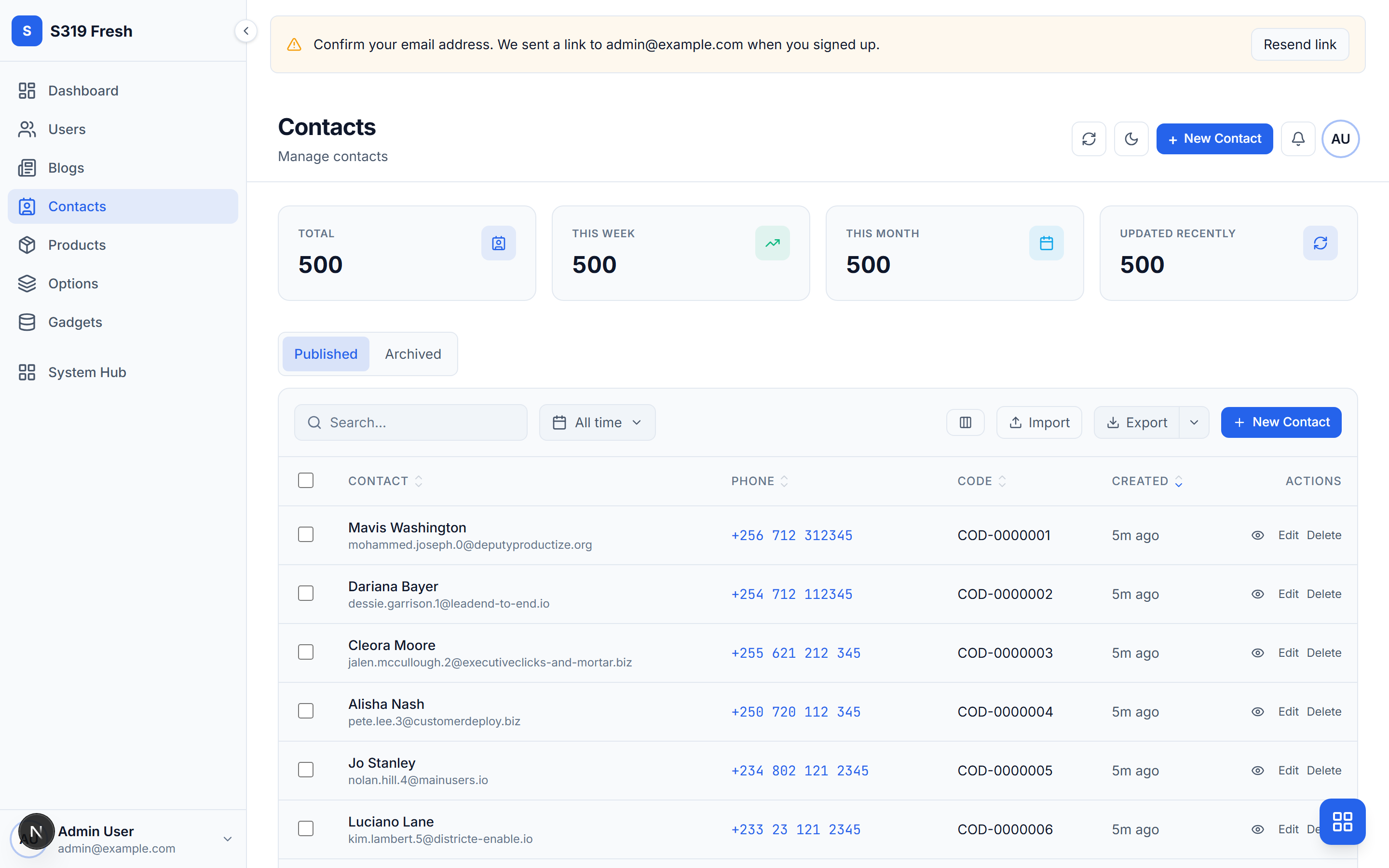
Add { name: 'paid_at', label: 'Paid', type: 'date' } to columns and the column appears in the table, sortable, with the date formatted in the viewer's timezone. No component, no query change, no migration of four files.
The declaration is the thing to change
Once screens are generated, the strongest move is almost always to change the declaration, and the second strongest is to change the model. Writing a custom page is a last resort, because you have just taken on the maintenance of something that used to update itself.
The four decisions that matter
Generation removes the typing. It does not remove the design, and these are where an admin panel is actually won or lost.
Which columns
The default is every field, and the default is almost always wrong. A table is something people scan: the columns are the ones they scan for. Everything else belongs on the detail view. A table with fourteen columns is a table nobody reads, and it will be horizontally scrolling on every laptop.
What the label column is
A relationship renders the related record's label. If a model has no human-readable label, the dropdown shows ids and the table shows nothing useful. The fix is on the related model, not on this screen, and getting it right once fixes every screen that references it.
What the empty state says
A new user sees the empty state first, and "No data" tells them nothing. Say what would cause a row to appear here. It is one sentence and it is the highest-value sentence on the screen.
What the dashboard asks
A widget earns its place by answering a question somebody actually asks at the start of the day. "Total contacts" is a number. "Contacts with no activity in thirty days" is a question, and somebody will act on it. Most generated dashboards are full of the first kind.
Charts are where a generated dashboard looks generated
Six arbitrary colours in a chart is the clearest single tell. Use the product's accent and its semantic colours, success, warning, danger, and nothing else. A chart that uses the same palette as the rest of the screen reads as designed even when it was not.
An admin panel is the most dangerous surface you have
It reads every table and writes most of them, which means the ordinary rules apply twice over.
- Permissions per action, not per panel. "Can see the admin" is not a permission model. Delete, refund and export are each worth their own.
- Every way into a table needs the same scope. The list, the bulk edit, the CSV export and the import are four separate paths to the same rows. A scoped list next to an unscoped export is an unscoped system.
- Audit the writes, and the sensitive reads. Who looked at this customer's record is a question that gets asked, usually at the worst time.
- Confirm the destructive actions, with the name typed out. A modal that only needs a click is a modal people click.
- Soft delete, with a trash screen. Someone will delete the wrong row. Plan for the undo rather than for the apology.
Doing it with Grit
Generating a resource writes the Go model, service and handler, the TypeScript types and Zod schema, a React Query hook, and the admin definition and page, all from one command:
$grit generate resource Invoice \--fields "number:string:required,customer:belongs_to:Customer,total:money,status:select[draft, sent, paid],due_at:date"
The admin that comes with a new project already has the parts nobody enjoys building: sortable and filterable tables, a form builder covering thirty field types, searchable relationship pickers, bulk create and bulk edit grids, soft delete with a trash screen, an audit log, saved views, and system pages for jobs, files, cron and mail.
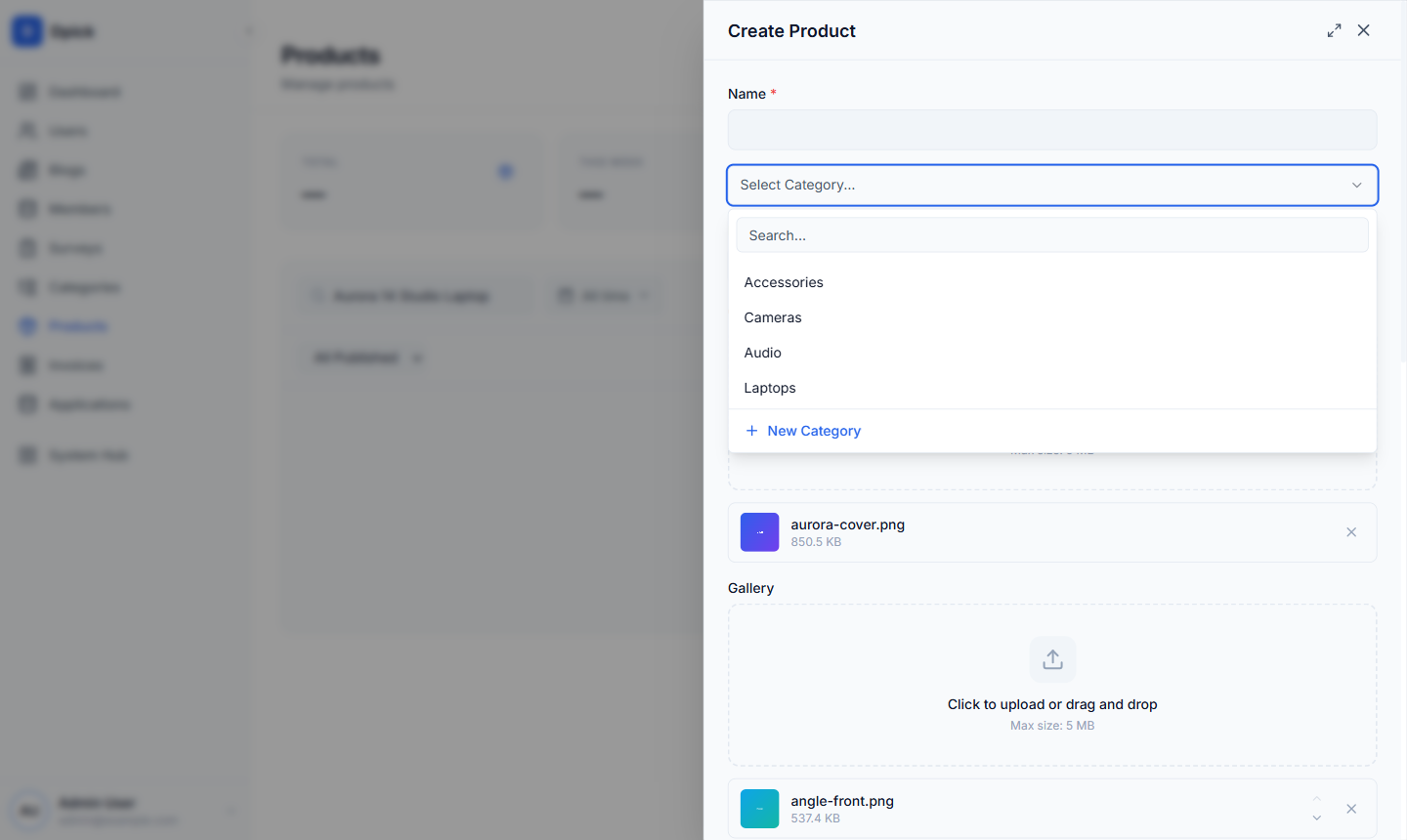
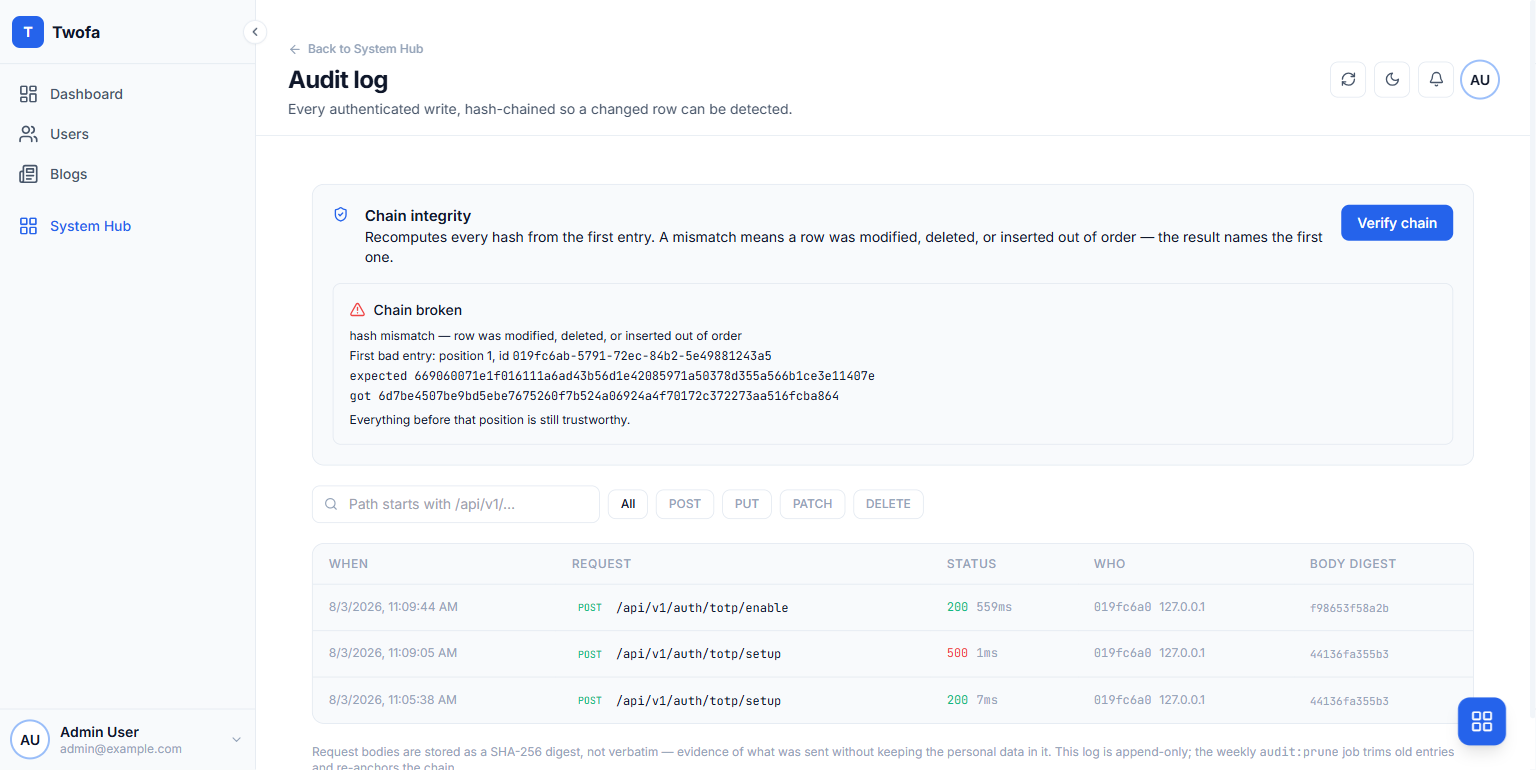
It is generated into your repository as ordinary React, so a screen that needs to be different can be, and the ones that do not stay generated. The admin reference covers the definition format in full.
Frequently asked questions
- Should the admin panel be a separate app or part of the main one?
- Separate if the audiences differ, which they usually do: a customer-facing app and an operator console want different navigation, different density and different deploy cadence. A route group inside the main app is reasonable when the "admins" are just your team and there are a handful of screens. The one thing that is not reasonable is sharing a layout and hoping a role check hides the dangerous buttons.
- Is a generated admin flexible enough for a real product?
- For the list and form screens, yes, and those are most of them. The honest limit is that a screen which is not really a resource, an operations view, a reconciliation tool, a wizard, is a hand-written page and should be. The value is that generating the eighty per cent leaves you time to design the twenty that matters.
- Can I use the admin components in my customer-facing app?
- You can copy them, and it is usually better than rebuilding a table from scratch. Two caveats. The admin is a dense operator console, so the copy is a starting point rather than the finished customer screen. And the two apps may use different design tokens, in which case a component moved across renders with no styling at all and reports no error, which is a confusing half hour.
- How do I stop the admin becoming the place business logic lives?
- Keep the rules in the API. If "an invoice cannot be marked paid before it is sent" is enforced in a React form, then the API, the mobile app and every script can break it. The admin should be one caller of rules that live in the service layer, not the place the rules are written.
Next steps
- Roles and permissions explainedWho may open the panel, and who may press the dangerous buttons.
- Build your first full-stack appThe API the admin sits on top of, written out by hand.
- Resource definitionsEvery option in the definition, and what each produces.
- Dashboard widgetsStats, charts and activity feeds, and choosing what to put on them.